
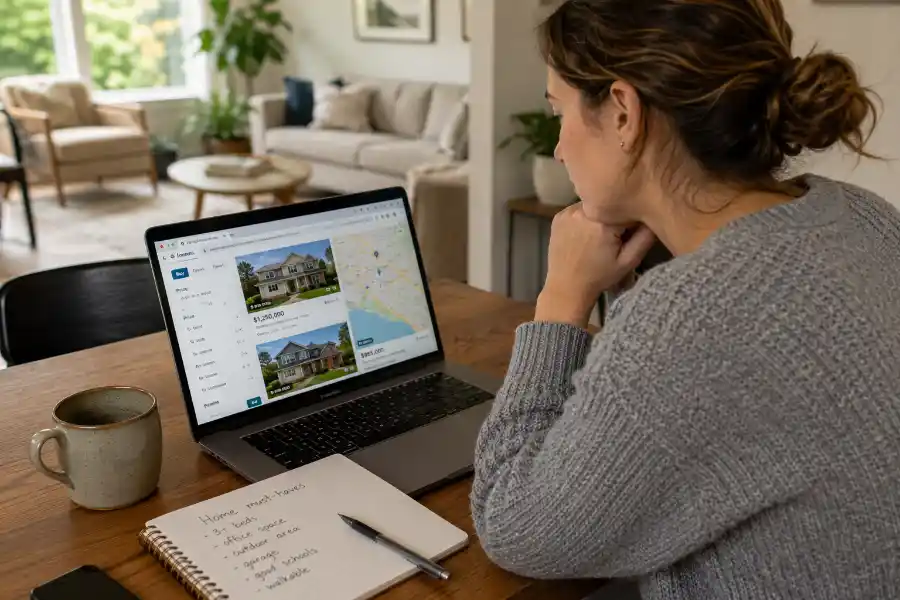
10 Zillow Tips to Find Better Homes Before Other Buyers Do
Most people treat Zillow like a digital window-shopping experience. They open the app, scroll through photos of beautiful kitchens, save a few listings, and close it without ever taking a meaningful step toward buying or renting a property.
Here is the truth: Zillow is one of the most powerful real estate search platforms in the world, but the vast majority of users are only scratching the surface of what it can do. With over 100 million monthly visitors and a database that includes active listings, foreclosures, new construction, for-sale-by-owner properties, and rental units all in one place, Zillow rewards the buyers who learn to use it properly.
Whether you are a first-time homebuyer navigating your very first search, a seasoned investor looking for your next acquisition, or someone relocating to a city they have never lived in before, these Zillow tips to find better results will change the way you search. This guide walks through every layer of the platform, from basic filters to search tools that most buyers do not even know exist, so you can stop browsing and start finding.
Why Most Zillow Searches Fail to Deliver Real Results
Before getting into the tips, it is worth understanding why so many Zillow searches end in frustration. The problem usually comes down to three core mistakes.
First, buyers search by price alone without accounting for actual monthly costs. A $400,000 listing might look affordable, but once you factor in property taxes, homeowners insurance, HOA fees, and a realistic mortgage rate, the monthly number can be anywhere from 20 to 40 percent higher than what the buyer expected.
Second, most buyers do not save their searches with properly configured alerts. They either get too many irrelevant notifications or they set alerts so narrow that they miss listings the moment they hit the market.
Third, and perhaps most importantly, buyers trust everything Zillow displays without verifying it. Zillow pulls data from multiple sources including county records, MLS feeds, and direct listing inputs, and not all of that data is current or accurate.
With these pitfalls in mind, here is how to do it right.
Tip 1: Build Your Search Around Monthly Payment, Not List Price
One of the most underused tools on Zillow right now is BuyAbility, a feature powered by Zillow Home Loans. Instead of filtering homes by a sticker price that may or may not reflect what you can afford, BuyAbility lets you input your monthly payment target, down payment amount, annual income, existing monthly debts, and credit score. The tool then calculates a personalized target price range and filters your search results to show only homes you would realistically qualify for.
This matters more than most buyers realize because mortgage interest rates fluctuate constantly. A home that sits comfortably within your budget when rates are at 6.5 percent may become a financial stretch when rates tick up to 7.2 percent. BuyAbility recalculates as rates shift, which means your search results stay financially grounded at all times.
To use BuyAbility, navigate to the Home Loans tab in the Zillow app or go directly to zillow.com/homeloans/buyability on your browser. Enter your financial details and let the tool do the filtering. You will immediately notice that the homes appearing in your results align with your actual budget, rather than just your wishlist.
Pro Tip: Once you set your BuyAbility parameters, pair it with the monthly payment filter on the search screen. This gives you a double layer of financial protection against falling in love with a home that quietly sits just outside your affordability range.
Tip 2: Know Your Listing Type Filters and Use Every One
Most users simply search “homes for sale” and stop there. That is a significant missed opportunity. Zillow allows you to narrow your results by listing type in ways that most casual users never touch.
Here is a breakdown of what each listing type filter can open up for you:
New Construction: If you want a home built to current standards with warranties still in place, filtering specifically for new construction removes the guesswork of older properties. You can also view communities before ground is broken and lock in prices early.
Foreclosures: Bank-owned properties and pre-foreclosures often appear on Zillow before they hit mainstream MLS listings. These properties frequently sell at below-market prices, but they typically require cash purchases or specialized financing. Knowing how to filter for them puts you ahead of most buyers.
For Sale by Owner (FSBO): FSBO listings cut out the listing agent commission, which sometimes translates to more room to negotiate on price. These deals are often invisible to buyers who rely solely on agent-curated searches.
Coming Soon: This is one of the most useful filters in competitive markets. Coming Soon listings are properties that will hit the market in the next few days or weeks. Setting alerts on Coming Soon homes gives you a head start on scheduling tours before the listing officially goes live.
To access these filters on desktop, click “More” in the filter bar at the top of your search screen. On mobile, tap the filter icon and scroll to “Listing Type.” Toggle the categories that serve your search and save the search with these filters active.
Tip 3: Set Up Search Alerts the Right Way
Zillow’s default notification settings are designed for casual browsers, not serious buyers. If you are actively looking for a home, you need to reconfigure them completely.
Inside your account settings, navigate to the Notifications tab. Here you will find a full menu of what Zillow can alert you about, including new listings that match your saved search criteria, price reductions on saved homes, upcoming open houses for properties you have favorited, market updates for neighborhoods you are tracking, and changes to your Zestimate if you already own a property.
For active buyers in competitive markets, set your new listing alerts to “Instant.” This means the moment a qualifying property hits the market, you receive a notification in real time. In hot markets where desirable homes receive multiple offers within 24 to 48 hours, a same-day notification can be the difference between getting a showing and missing the window entirely.
For slower or larger markets where you are looking at multiple neighborhoods, set a weekly digest instead of instant alerts. This prevents notification fatigue without letting important listings slip by unnoticed.
Important: Create separate saved searches for different neighborhoods, price bands, or property types rather than one broad search with loose filters. Narrower searches with instant alerts perform significantly better than a single wide-net search with generic settings.
Tip 4: Understand the Premier Agent System Before You Make Any Calls
When you click on a property listing on Zillow, you will typically see a contact form with an agent’s name and photo prominently displayed. Many buyers assume this is the listing agent, the person representing the seller. In most cases, it is not.
Zillow operates a paid advertising program called Premier Agent, where real estate agents pay Zillow for placement on listings in specific zip codes. The agent appearing in the contact form may have zero direct knowledge of that particular property. They are simply a buyer’s agent who has paid for the lead.
This is not inherently bad. Many Premier Agents are excellent, experienced professionals. But there are a few things worth knowing.
First, if you want to reach the actual listing agent to ask specific questions about the property, look for the “Listed by” information further down the listing page. That is the direct contact for the person representing the seller.
Second, when evaluating Premier Agents, use Zillow’s review system. Each agent profile shows recent transaction history, client ratings, and written reviews. An agent with 100 verified five-star reviews in your target neighborhood is a meaningfully different choice from an agent with three reviews across a wide geographic area.
Third, you are under no obligation to work with the first agent who contacts you after you submit a form. Shopping for your buyer’s agent is just as important as shopping for your home.
Tip 5: Use Map View With Boundary Drawing to Eliminate Irrelevant Results
Zillow’s map-based search is one of its most powerful and least utilized features. Instead of typing in a city or zip code and accepting the default radius, use the Draw tool to manually trace the exact geographic boundary of your target area.
This is particularly valuable when you are interested in a specific neighborhood, school district, or commute corridor but the standard zip code filter either cuts out a street you want or includes a surrounding area you have no interest in.
On desktop, look for the Draw button in the upper right area of the map view. On mobile, tap the map icon and look for the hand-drawing tool. Once you trace your custom boundary, Zillow will show only listings within that shape. Save this as a named search so you can return to it directly without redrawing every session.
Pair this with the school district filter if you have children. Zillow integrates school ratings from GreatSchools, which lets you overlay school zone data on the map and ensure every listing you are considering falls within a district that meets your standards.
Tip 6: Read Days on Market as a Negotiation Signal
Every listing on Zillow shows a “Days on Market” (DOM) figure. Most buyers glance at it and move on. Buyers who know what they are doing read it as a negotiation roadmap.
A home that has been on the market for fewer than seven days in a normal market is fresh inventory and likely priced competitively. Moving quickly here and coming in at or near asking price is often the right strategy.
A home sitting at 30 to 60 days on market is a signal that the original pricing was too aggressive, the property has some issue that deters buyers, or market interest in that area is softer than the seller expected. This is where negotiations in your favor become realistic.
A home beyond 90 days on market is a motivated-seller situation. The carrying costs of an unsold property accumulate quickly, and sellers who have been sitting on the market for three or more months are almost always willing to accept a price reduction, cover closing costs, or offer concessions to move the deal forward.
Filter Zillow results by price reductions as well. Under the “More” filter on desktop, there is an option to show only homes with recent price reductions. These are sellers who have already demonstrated a willingness to adjust, which makes the negotiation conversation much easier to open.
Tip 7: Always Verify Zillow’s Data Against the Source
Zillow aggregates data from county records, MLS systems, and direct agent inputs. The result is a database that is impressively broad but imperfectly accurate. Before you make any decisions based on what Zillow shows you, verify the critical details against primary sources.
Square footage: Zillow’s square footage numbers are often pulled from tax records, which may not reflect additions, conversions, or renovations. Always ask the listing agent for the measured square footage and review the appraisal if possible.
HOA fees and rules: Zillow sometimes lists HOA fees that are outdated by a year or more. Call the HOA directly or request the current disclosure documents through your agent before factoring these fees into your budget.
Pet policies for rentals: If you are searching for a rental, the pet policy displayed on Zillow is frequently inaccurate. Landlords update their policies directly with management software, and those updates do not always sync to Zillow in real time. Always confirm pet policies via direct contact with the landlord or property manager.
Zestimate accuracy: Zillow’s algorithm-based valuation, the Zestimate, is a useful starting point for understanding a home’s approximate market value. However, it does not account for recent interior renovations, the condition of systems and appliances, micro-neighborhood desirability factors, or recent comparable sales that have not yet been recorded. Use the Zestimate as one data point among several, not as a definitive valuation.
Tip 8: Use Zillow’s Rental Search to Understand Neighborhood Value Before Buying
This tip is rarely discussed but surprisingly effective. If you are considering buying in a neighborhood you are not familiar with, spend time on Zillow’s rental search in the same area. The rental market reflects real-time demand signals that the sales market sometimes lags behind.
A neighborhood where rental inventory is consistently low and rental prices are high signals strong demand, good employment access, and desirable living conditions. These same fundamentals support long-term property value appreciation for buyers.
Conversely, a neighborhood with high rental vacancy rates and declining asking rents is sending a warning signal about the fundamentals that could affect your property’s resale value down the road.
You can also use Zillow’s rental comps to evaluate whether a property you are considering buying would perform as an investment property if you ever needed to rent it out. This gives you a ready-made exit strategy analysis sitting right inside the platform you are already using.
Tip 9: Get Pre-Qualified Before You Contact Any Agent or Seller
Every real estate agent will tell you this, but the reason it matters specifically on Zillow is timing. When a high-demand listing appears, the buyers who have already secured pre-qualification letters can schedule showings and submit offers immediately. Buyers who have not gone through pre-qualification must take a detour of several days to a week before they are in a position to act.
In competitive markets, that detour costs you the deal.
Pre-qualification is also useful for setting realistic search parameters on Zillow. Banks and lenders will often approve buyers for amounts significantly higher than what those buyers are comfortable spending each month. Knowing your pre-qualified amount gives you a ceiling, but knowing your comfort zone gives you a real number to filter around, which is where BuyAbility becomes indispensable once again.
Connect your pre-qualification data to the Zillow Home Loans tab if you go through their affiliated lending partners. This creates a direct link between your search activity and your financing status, which can speed up the entire process when you are ready to move.
Tip 10: Check Sold Prices Alongside Active Listings
One of the most overlooked features on Zillow is the recently sold data. For every property you view, Zillow shows a section of recently sold comparable homes in the same area. These comps are what appraisers and agents use to determine whether a listing is priced fairly.
Before you get excited about a listing, check what similar homes in the same neighborhood have sold for in the past 60 to 90 days. Look at homes with similar square footage, bedroom and bathroom count, lot size, and condition. If the listing you are considering is priced 15 percent above recent comps with no clear justification, you are looking at an overpriced listing that will either sit on the market or require negotiation.
On Zillow, you can filter for “Sold” homes directly from the main search screen. Set the date range to the last 90 days for the most relevant data. Save this as a separate search in the same area so you can reference it whenever you are evaluating an active listing.
Common Zillow Mistakes That Serious Buyers Must Avoid
Even experienced buyers fall into predictable traps on Zillow. Here are the ones worth calling out directly.
Ignoring the listing date: A listing that reappears after being marked “off market” is almost always a red flag. It means a previous deal fell through, which warrants serious due diligence into why.
Relying on photos alone: Zillow allows sellers and agents to choose which photos appear and in what order. A listing with beautiful exterior shots and kitchen photos but no images of bathrooms, utility spaces, or secondary bedrooms is hiding something. Always request a full tour, virtual or in person, before shortlisting a property.
Contacting too many agents at once: Every contact form you submit on Zillow generates a lead, and multiple agents may follow up simultaneously. This creates confusion and will slow your search down as you spend time fielding calls instead of touring homes. Identify one strong buyer’s agent, verify their track record, and work exclusively with them.
Skipping the Walk Score and Transit Score: Zillow displays Walk Score and Transit Score data on each listing. If daily errands, walkability, or public transit access matters to your lifestyle, these scores can save you from buying in a location that looks great on paper but requires a car for every single task.
Conclusion
Zillow is a technology platform, and like any platform, what you get out of it is directly proportional to how well you understand its tools and how deliberately you use them. The buyers who treat Zillow as a passive browsing experience will always be a step behind the buyers who approach it as an active, well-configured research system.
Start with BuyAbility to anchor your search in financial reality. Build tightly configured saved searches with instant alerts. Learn to read Days on Market as a negotiation tool. Verify every key data point against primary sources. And before you ever submit a contact form, make sure you have a pre-qualification letter in hand and a clear sense of what you are looking for.
These Zillow tips to find better homes are not shortcuts. They are the habits that separate buyers who close on the right home at the right price from buyers who spend months searching without results. Put them to work on your next search session and you will immediately feel the difference.
Looking for more real estate search strategies? Read our guides on how to evaluate neighborhood comps, how to work with a buyer’s agent, and what to look for in a home inspection report.
